Promises in My Beloved JavaScript
Introduction
When I first started programming, Java was my introduction to the world of code, followed by C++. Back then, the idea of a single-threaded event loop was a distant concept, and understanding how JavaScript handled asynchronous operations left me bewildered. But don’t worry — I’m here to share my journey into the world of async-await and callbacks, hoping to simplify this seemingly abstract concept for anyone who's felt the same.
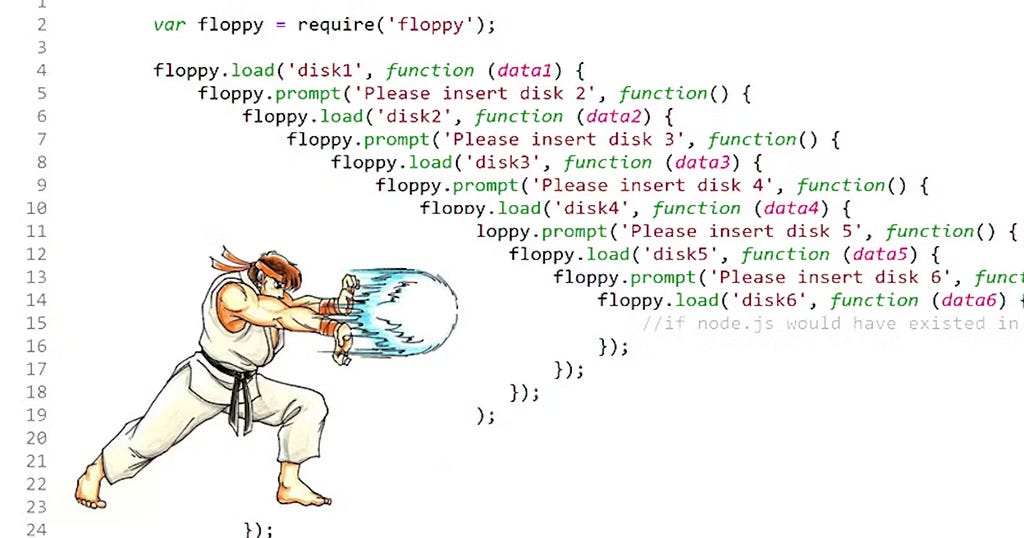
Story Time: The Problem of Asynchronous Code
Meet Pedro. He’s a developer working on a website that fetches data from an external server. The problem? The server takes its sweet time responding. Naturally, Pedro doesn’t want his users staring at a blank page while waiting for data to load. He wants them to interact with the site while the data is still being fetched. The solution? Promises.
What Are Promises?
In simple terms, a Promise is an object representing a value that might be available now, later, or never. It lets JavaScript continue doing its thing while it waits for something else to finish — a perfect way for Pedro’s website to fetch data without making his users wait around.
Think of a Promise as a placeholder for a future result, similar to placing an order at a restaurant. Once your food is ready, the Promise is “fulfilled,” and you can eat. If something goes wrong in the kitchen, the Promise is “rejected,” and you won’t get your meal. But, importantly, you’re free to do other things (like enjoying conversation) while you wait.
Async-Await: Making Promises Easy
At its core, JavaScript is a single-threaded language, meaning it processes one task at a time. The async and await keywords help you manage asynchronous tasks without falling into the "callback hell" trap.
An async function is essentially a function that returns a Promise. The await keyword pauses the execution of the function, waiting for the Promise to resolve or reject. Here’s an example that will feel familiar:
// Example: Fetch data from an API using async/await

// Function that simulates an API call
async function fetchData() {
    try {
        // Await the response from the fetch call
        const response = await fetch('https://api.example.com/data');

        // Check if the response is OK (status code 200-299)
        if (!response.ok) {
            throw new Error(`HTTP error! Status: ${response.status}`);
        }
        // Await the parsing of the response as JSON
        const data = await response.json();
        console.log(data);
    } catch (error) {
        // Handle errors here
        console.error('Error fetching data:', error);
    }
}
// Calling the async function
fetchData();
Breaking It Down
- Async — Declaring a function as async ensures it always returns a Promise. This allows you to write asynchronous code that looks like synchronous code, improving readability.
- Await — You can think of await as a pause button. It tells JavaScript to hold off on executing the rest of the code in the function until the Promise is resolved.
- Try-Catch — Async functions work seamlessly with try-catch blocks, allowing you to catch and handle errors in a more familiar way than using .then() and .catch() on Promises.
Why Does It Matter?
JavaScript’s non-blocking nature allows the event loop to handle multiple tasks efficiently, even if one task is slow, like Pedro’s API request. async and await make working with Promises much more straightforward, giving developers the power to write clean, understandable, and error-free code while ensuring the smooth performance of their applications.
Technical Terminology
- Promise — An object returned by an asynchronous function. It represents the eventual completion or failure of the operation and its resulting value.
- Async — Marks a function as asynchronous, signaling that it will return a Promise.
- Await — Pauses the execution of an async function until the Promise is resolved or rejected.
Some Pitfalls:
Here are some common issues developers face when working with async and await, along with solutions or explanations to address them:
Issue: Forgetting to use await when calling an async function will not pause the function execution, and it will return a pending Promise instead of the awaited result.
Example:
async function example() {
  const result = fetchData(); // No await, returns a Promise
  console.log(result); // Logs: Promise { <pending> }
}
Solution: Always use await when you need the result of an async function.
const result = await fetchData();
console.log(result); // Logs the actual data
2. Error Handling in Async Functions
Issue: If errors in async functions are not handled, they may be silently ignored, making debugging difficult.
Example:
async function getData() {
  const response = await fetch('invalid-url'); // Fails silently
  const data = await response.json(); // Never reached
}
Solution: Use try-catch blocks to handle errors in async functions.
3. Multiple await Statements Slowing Down Execution
Issue: If you’re waiting for multiple independent Promises using sequential await calls, it can slow down execution, as they are processed one after the other.
Example:
async function loadData() {
  const data1 = await fetch('url1'); // Wait for fetch to complete
  const data2 = await fetch('url2'); // Wait for second fetch
}
Solution: Use Promise.all() to run multiple Promises in parallel.
async function loadData() {
  const [data1, data2] = await Promise.all([
    fetch('url1'),
    fetch('url2')
  ]);
}
4. Not Returning Promises in Loops or Callbacks
Issue: If you are inside a loop or callback and forget to return the result of an async operation, you may lose the ability to properly wait for all asynchronous tasks to complete.
Example:
async function processData() {
  const dataArray = [url1, url2, url3];
  dataArray.forEach(async (url) => {
    const data = await fetch(url); // Fetching data, but nothing waits for it
  });
}
Solution: Use Promise.all() or a for...of loop to ensure proper awaiting of all Promises.
async function processData() {
  const dataArray = [url1, url2, url3];
  const promises = dataArray.map(async (url) => await fetch(url));
  await Promise.all(promises); // Waits for all fetches to complete
}
5. Memory Leaks Due to Unresolved Promises
Issue: If a Promise is never resolved or rejected, it can lead to a memory leak, especially when dealing with server-side applications or long-running processes.
Solution: Set timeouts for Promises or use a library to handle timeouts. For example:
const fetchWithTimeout = (url, timeout = 5000) => {
  return new Promise((resolve, reject) => {
    const timer = setTimeout(() => reject(new Error('Timeout')), timeout);
    fetch(url).then(
      (response) => {
        clearTimeout(timer);
        resolve(response);
      },
      (error) => {
        clearTimeout(timer);
        reject(error);
      }
    );
  });
};
Wrapping It Up
That’s all I got. That’s the fundamentals of async and await. It’s a powerful tool, yet fickle at the same time. Mastering async and await takes some time, but it’s worth the effort to avoid the pitfalls that can come with asynchronous programming. By keeping these common issues and solutions in mind, you can write more reliable and efficient JavaScript code that leverages the full power of Promises. Or, just use Typescript ;).
Happy coding (or not up to you)!